
OmniRide In REAL-TIME!
Download Transit to know where your bus is at all times
Transit provides real-time arrival information for all OmniRide Express, OmniRide Metro Express, and OmniRide Local buses. Whether you are checking the status of your favorite bus route or need step-by-step directions to get somewhere new, Transit and OmniRide have you covered. It will even link you to book rides on OmniRide Connect microtransit service.
Worried about the app size? It's under 100MB which is 3x smaller than Snapchat!
Download Transit now and get more time back from your busy schedule!
 |
 |
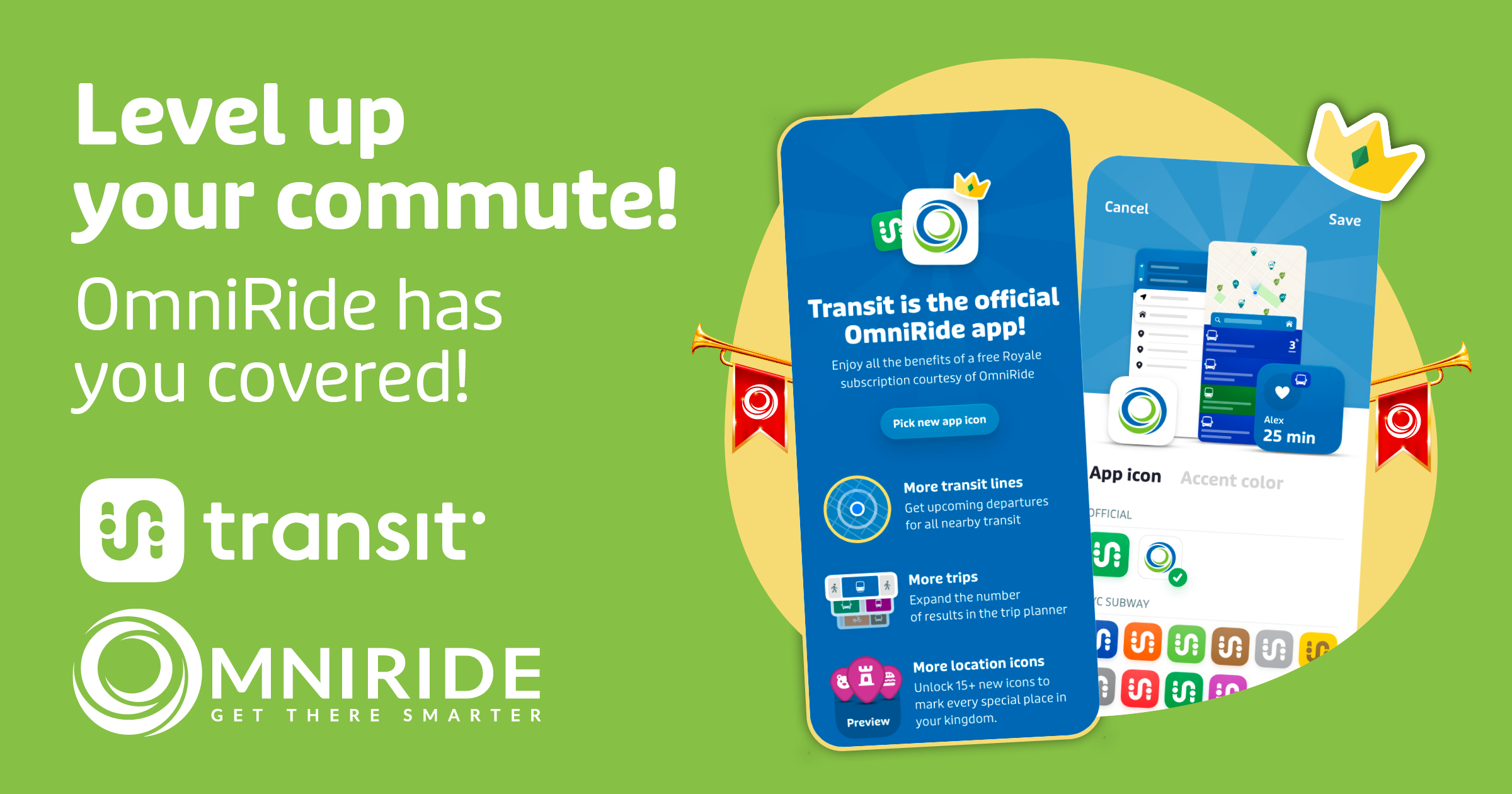
Like the Transit app? You’ll love your free upgrade to Transit Royale!
Thousands of OmniRide riders use the Transit app to track their rides in real-time and get accurate arrival times. Now, OmniRide is investing in making “Transit Royale” available free to all our riders.
With Transit Royale, you can do more than just plan your trip and track your ride. You’ll also be able to:
- Access upcoming departures, route maps and vehicle tracking for all transit lines not just the ones that are in close proximity.
- Plan your trip days and weeks into the future with full schedules and departure times displayed for any line.
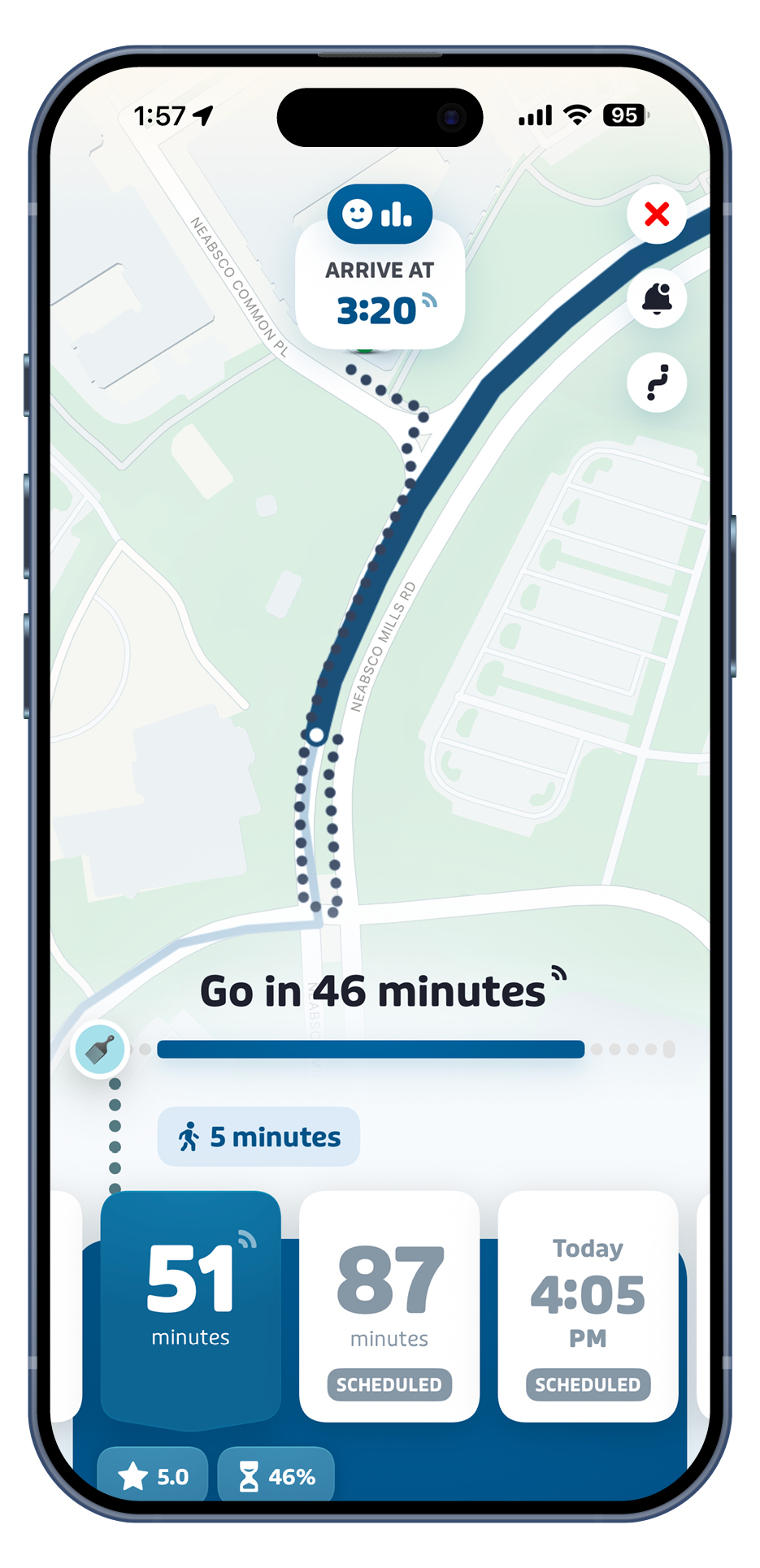
- Utilize Transit’s GO feature which guides users throughout their trips, with the ability to customize emojis and nicknames.
- Customize your app with a personalized app icon and color scheme.
- Mark your favorite place with an increased selection of icons.
If you’re already using the Transit app, Transit Royale will unlock automatically the next time you open it.
If you haven’t tried it yet, download the Transit app with Transit Royale today—where transit riders reign supreme.
How do I use Transit?
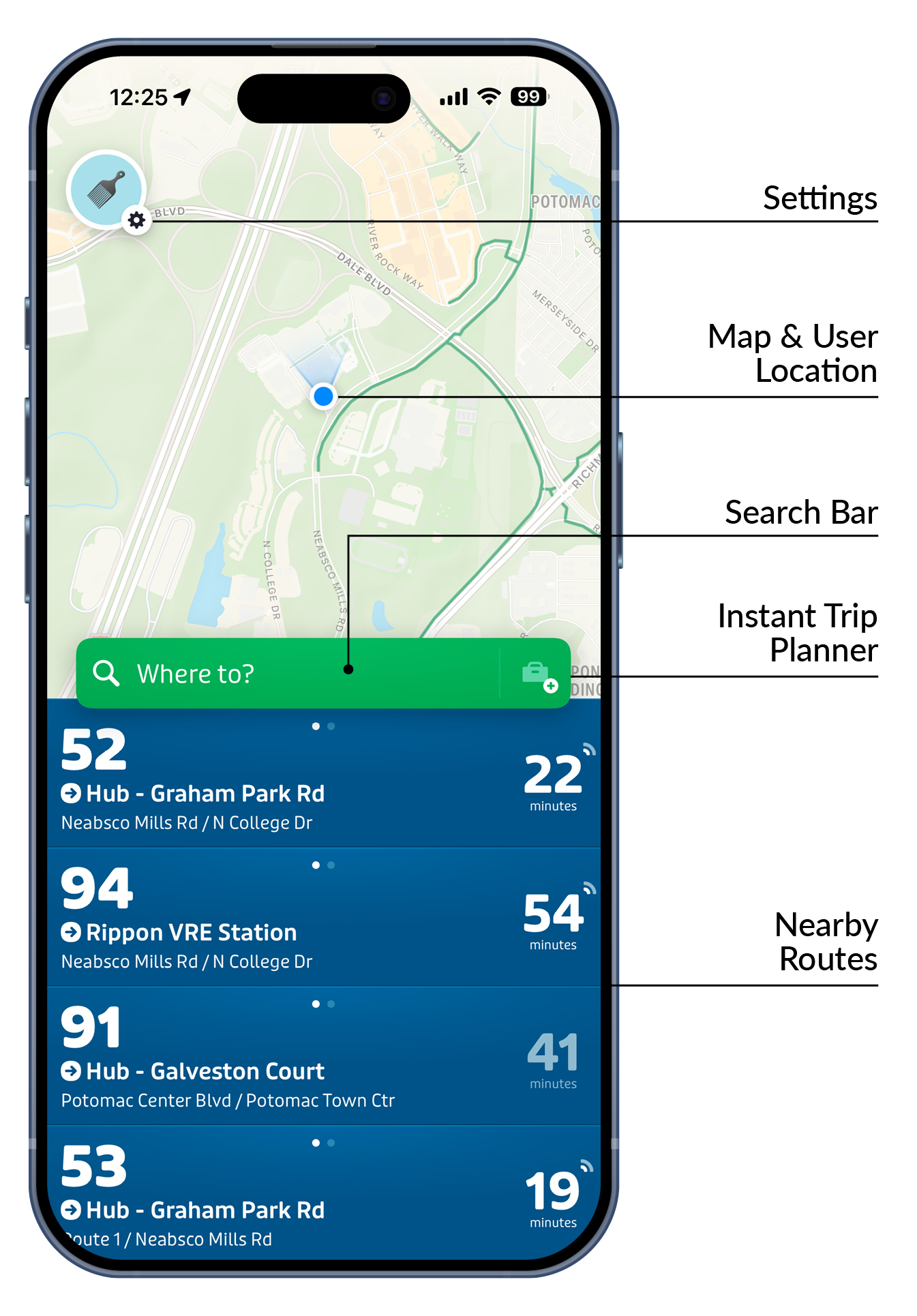
When you first open the app, it uses your location to pinpoint the bus routes that pass closest to you.
TIP! Be sure to allow Transit to access your location data during the installation process.
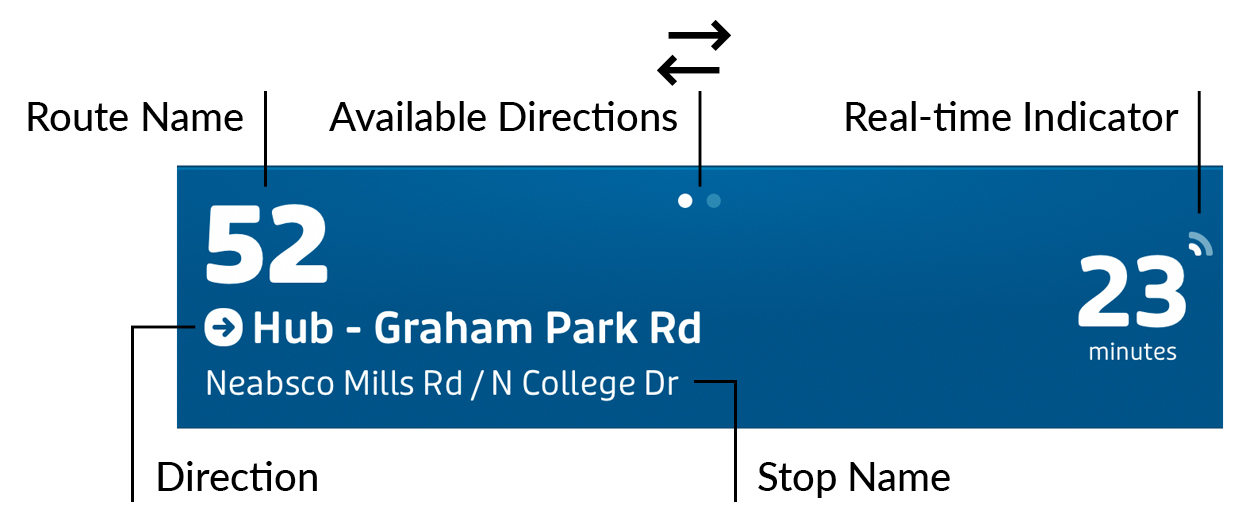
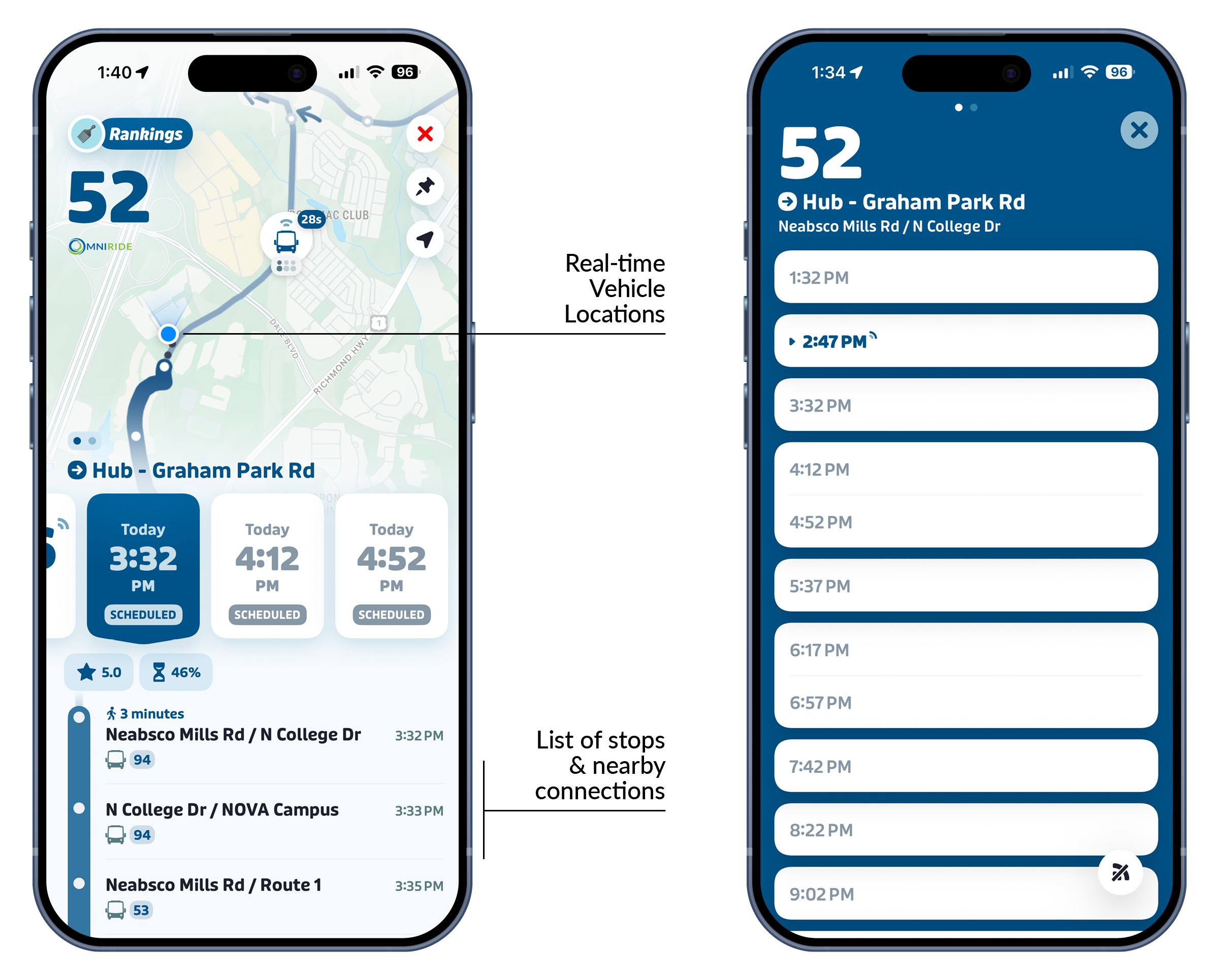
The route display provides pertinent information such as the route name, direction, and stop name. Swipe left or right on a route to change direction. When you see the flashing real-time icon, that means there's a GPS tracker on the bus providing accurate arrival time information.
TIP! Since real-time arrival is based on current bus location, real-time displayed may change depending on traffic conditions.
Tap on a route to pull up more detailed information. This screen displays real-time vehicle locations as icons on the map and their departure times. If you scroll down on the screen, subsequent stops and their route connections appear. Tap on More Departures to see all the departure times for your stop, including real-time bus schedules. Swiping left/right will change schedules for the opposite direction.
Planning Your Trip
Transit has a built-in Trip Planner to give you easy-to-use directions:
- Enter a destination by tapping the green search bar on the home screen.
- Select your route to get more details.
- If you want Transit to notify you exactly when you should start walking to catch the bus, launch the GO feature
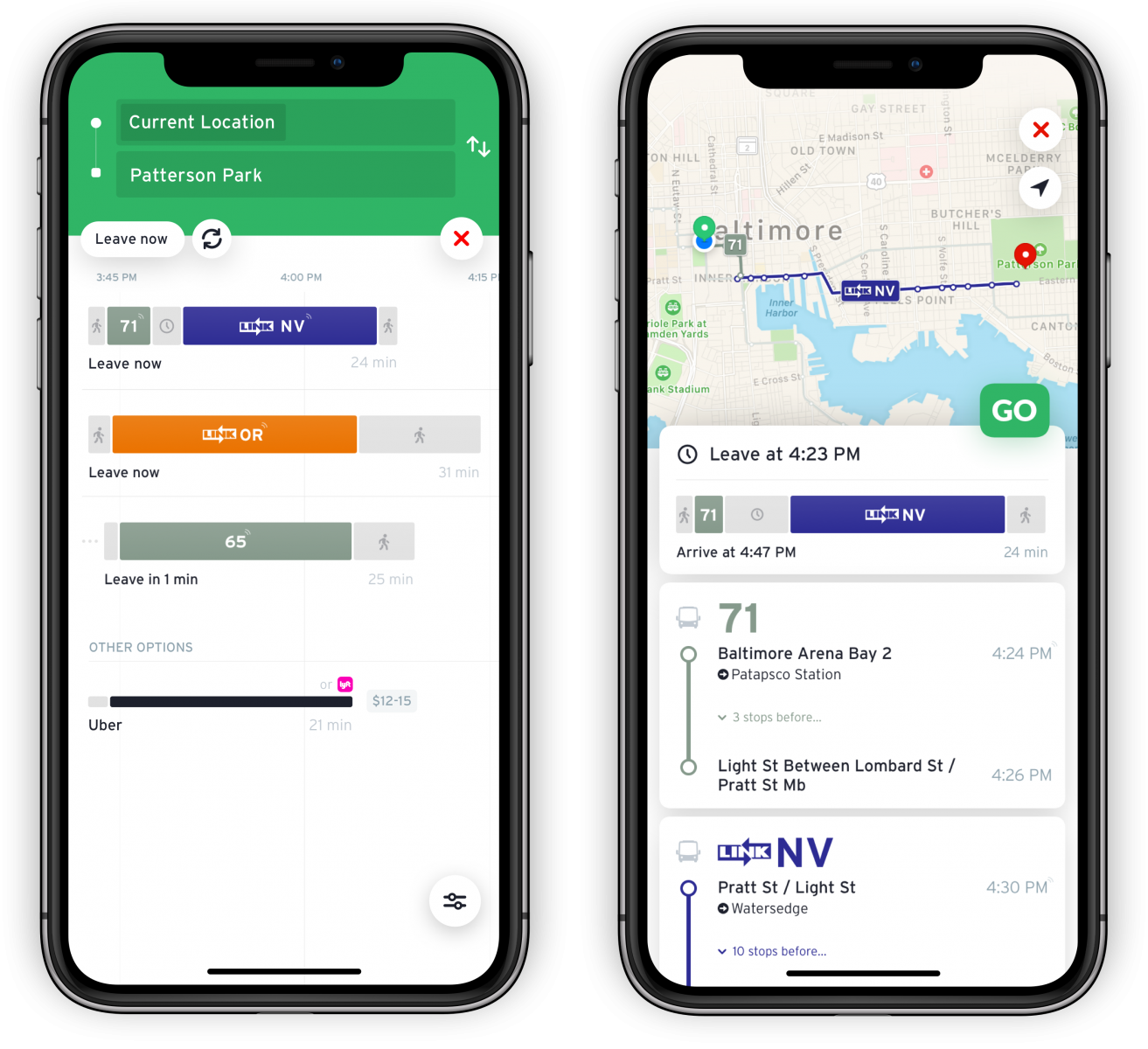
GO provides step-by-step guidance for your whole trip. GO will recommend when to leave to board, tell you how many stops until your destination, and push notifications when you are approaching and have arrived at your destination.